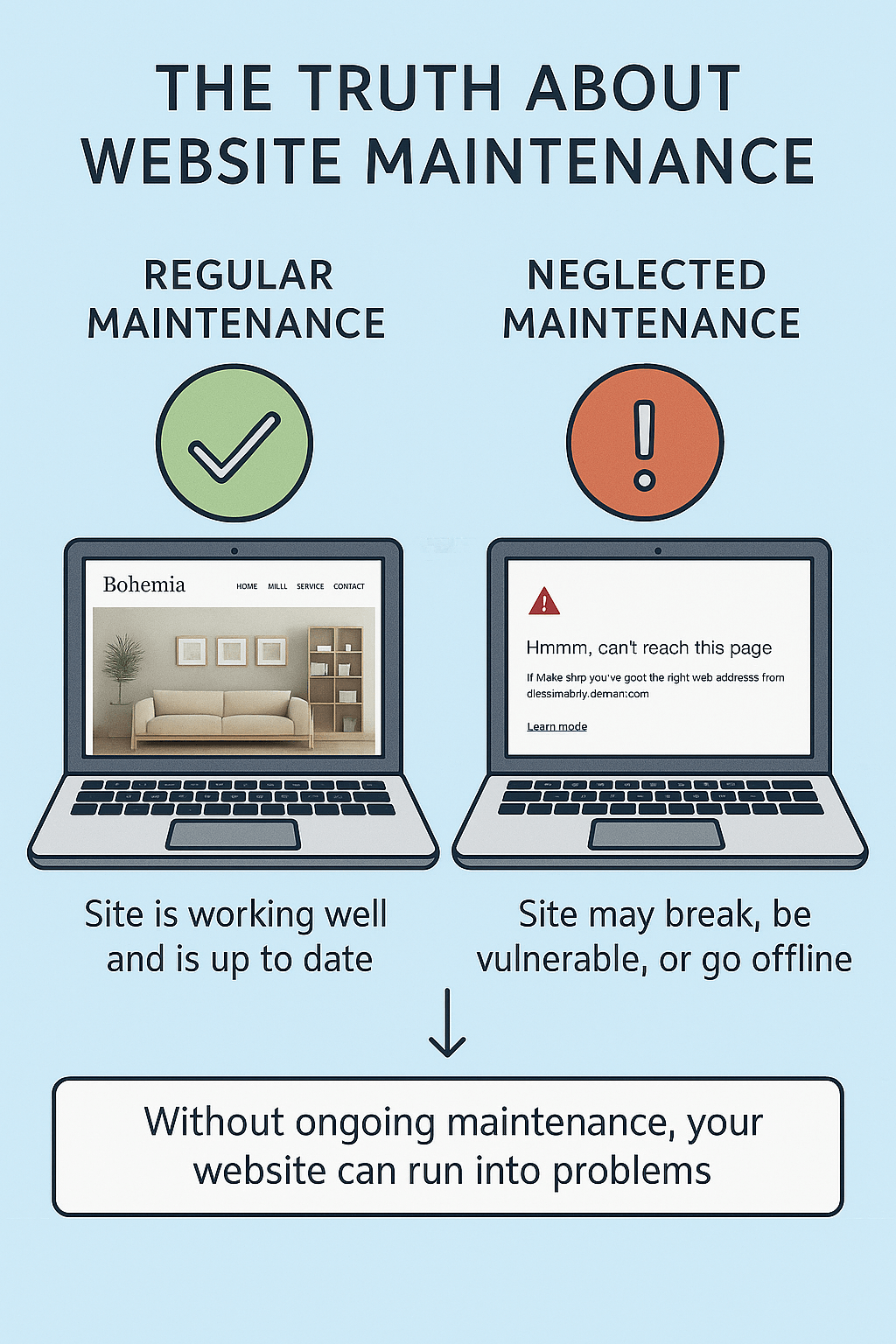
A “Website Maintenance” alert on a computer screen – a reminder that a website isn’t a one-and-done project. After launching a new website, it’s easy to fall into a “set it and forget it” mindset. Many business owners assume that once the site is live, their job is done and the website will run smoothly without further intervention. In reality, nothing could be further from the truth – a website is not a crockpot meal you can leave unattended. Websites require ongoing maintenance and updates to stay secure, fast, and effective. In fact, experts note that maintaining your site continuously is much cheaper (and smarter) than trying to fix major issues once something breaks.
Did you know a well-maintained website can attract up to 40% more visitors than a neglected one? Regular maintenance not only prevents disasters but also pays off in better performance and higher traffic. By investing time in updates and upkeep, you protect your online presence, improve your reputation, and keep visitors coming back. On the flip side, neglecting your site can quietly erode its effectiveness over time – often with costly consequences.
Neglecting website maintenance can lead to:
- Security vulnerabilities and data breaches: Outdated software is easier for hackers to exploit, putting your site and customer data at risk.
- Technical issues and broken functionality: Features may stop working or display incorrectly as technology evolves, leading to error pages or downtime.
- Poor performance and slow speed: An unoptimized, unmaintained site tends to become sluggish or unstable, driving impatient visitors away.
- Declining SEO and visibility: Stale content, broken links, and other issues can cause your search engine rankings to drop over time.
- Bad user experience: An outdated or glitchy site frustrates users and hurts your credibility, potentially sending customers to competitors.
Below, we delve into each of these areas to understand why ongoing website maintenance matters and what happens when you “set it and forget it.”
Technical Upkeep: Keeping Your Site Functional
One critical aspect of website maintenance is technical upkeep – all the behind-the-scenes updates and fixes that keep your site running smoothly. Websites are built on software (content management systems, plugins, scripts, etc.), and those components need regular updates to stay compatible and error-free. As a rule of thumb, website software must be updated regularly to ensure everything remains secure and functions correctly. This includes updating your CMS (like WordPress, Drupal, etc.), themes, plugins, and any integrated applications whenever new versions or patches are released. Skipping these updates can lead to software conflicts or bugs that break features on your site.
Technology also moves fast. Web browsers get updated, mobile devices come in new sizes, and third-party services change their APIs. If you “set and forget” your site, you may find that over time certain pages no longer display correctly on newer browsers or phones. For example, a platform update or a required plugin change could suddenly break a key feature on your website if you haven’t been paying attention. Forms might stop submitting, checkout buttons might stop working, or layouts could appear distorted – all because behind-the-scenes code became outdated. In short, neglecting technical maintenance can cause your site to gradually fall apart, frustrating visitors with broken functionality or error messages.
Regular technical maintenance prevents these headaches. It often involves tasks like: fixing broken links, updating dependencies, optimising databases, and ensuring backups are in place. Backups are a vital safety net – if something does go wrong (say a server crash or a bad update), having recent backups means you can recover quickly with minimal data loss. Without backups and technical oversight, a single incident could wipe out your site or cause extended downtime. By contrast, staying on top of technical updates ensures your website continues to work as expected on all devices and browsers, providing a seamless experience to every user.
Security: Protecting Your Site (and Visitors) from Threats
Perhaps the most urgent reason to maintain a website is security. In today’s environment, websites face constant threats from hackers, malware, and other cyber attacks. Outdated software is one of the most common vulnerabilities that attackers exploit. If you ignore updates, your site is essentially left with an open door for cybercriminals – known security flaws in old versions of CMS platforms or plugins are well-documented and easily targeted by automated attacks. Statistics show that nearly 61% of websites that get attacked were running outdated software, and over half of known WordPress vulnerabilities arise from not updating plugins. In other words, failing to apply updates and patches is like not fixing the locks on your door; you’re making it far easier for bad actors to break in.
The consequences of a security breach can be devastating. If your site gets hacked, you might suffer data theft (such as customer information being stolen), defacement of your website pages, or even complete loss of control over your site. A common scenario is attackers inserting malicious code (malware) into neglected websites – this could lead to your site distributing viruses to visitors or being blacklisted by search engines and browsers with scary warning messages. Recovering from a hack is costly and time-consuming, often requiring professional cleanup and damage control.
Regular maintenance dramatically and understanding common website vulnerabilities reduces these risks. It means promptly installing the latest security patches and updates for your CMS, plugins, and server software. Many updates specifically fix security holes that hackers have discovered; applying them is critical. As one guide advises, outdated plugins may contain known vulnerabilities that hackers can exploit, so you want to minimize that exposure by keeping everything current. Additionally, maintenance involves renewing your SSL/TLS certificates and making sure they’re configured properly (an expired certificate could flag your site as “Not Secure” to visitors). By being proactive about security updates and scans, you protect not just your own data but also your users’ privacy and safety.
Maintaining strong website security isn’t just an IT concern – it’s also good for business. Users are increasingly wary of websites that seem insecure. If a visitor encounters a malware warning or notices your site isn’t on HTTPS, their trust in your business plummets. Moreover, search engines like Google prioritize secure websites in rankings. A secure, well-maintained site is more likely to earn user trust and rank higher, whereas a neglected site may be penalized in search results for security problems. In summary, keeping up with maintenance is the best defense against becoming the next victim of a preventable hack.
SEO: Staying Visible and Relevant on Search Engines
Launching a website is just the first step in getting found online – ongoing maintenance is vital for search engine optimization (SEO) and maintaining your visibility in search results. Search engines continuously update their algorithms and favour websites that are active, healthy, and providing fresh content. If you “set it and forget it,” your site can quickly fall behind more dynamic competitors.
One major factor is content freshness. Websites that regularly add new content or update existing pages tend to rank better than those left untouched for months or years. Google and other search engines interpret updated, relevant content as a sign that your site is alive and offering current value. By contrast, stale content can cause your rankings to stagnate or decline. Simply put, website maintenance can impact your SEO by keeping your site’s content up-to-date and relevant. For example, a small business that periodically updates its blog, posts new case studies, or refreshes product information is more likely to appear active and authoritative, which can boost search rankings over time.
Maintenance also covers the technical side of SEO. Issues like broken links, missing meta tags, or outdated sitemaps can hurt your performance in search results. If you neglect your site, broken links and 404 errors will accumulate – not only do these frustrate visitors, but they also signal to search engines that your site may be low quality or poorly maintained. Over time, that can drag down your SEO rankings. Regularly checking for and fixing broken links is an easy maintenance task that improves user experience and keeps Google happy.
Additionally, other elements of site “health” directly affect SEO. A well-maintained site will be free of serious errors, optimized for mobile viewing, and quick to load – all factors that search algorithms reward. Search engines prioritize sites that offer the best user experience, fresh content, and fast performance, so neglecting maintenance is likely to cause your site to slip in rankings as competitors outpace you on those fronts. Conversely, by staying on top of updates, fixing issues promptly, and continuously optimizing your site, you improve your chances of staying visible on that coveted first page of Google results. In short, consistent maintenance is a key part of any successful SEO strategy.
Performance: Speed, Stability, and Reliability
Think about the last time you visited a slow, glitchy website – you probably didn’t stick around for long. Website performance (how fast and reliably your site loads and runs) has a huge impact on user satisfaction and conversion rates. Yet, performance can degrade over time if a site isn’t maintained. Neglect can lead to bloated databases, outdated scripts, or unoptimized images that drag your site down. If you never audit or tune up your site, you might wake up to pages that take ages to load or even frequent crashes during high traffic.
Site speed is especially crucial. Internet users today have very short attention spans – if a page takes too long to load, people will click away. In fact, studies have found that as little as a few seconds’ delay can significantly increase your bounce rate (the percentage of visitors who leave immediately). Over time, an unmaintained site tends to accumulate inefficiencies that slow it down. Old plugins or poorly written code, for instance, might work initially but become bottlenecks as your content grows or as browser standards evolve.
Failure to maintain your website can also lead to compatibility issues that hurt performance. For example, if your site’s theme or template hasn’t been updated in years, it might not display correctly on new mobile devices or updated browsers. The result could be layout glitches and, often, slower page loads or even downtime, which will quickly send users elsewhere. No user wants to wait for a spinning loader or deal with pages timing out. And if users leave due to speed issues, your search rankings and conversions inevitably suffer as well.
The good news is that routine maintenance keeps your site running at peak speed. Performance tuning includes optimising code and images, enabling browser caching, and regularly reviewing your hosting environment for any needed upgrades. By periodically analysing your site’s performance and addressing emerging slowdowns, you ensure that your pages load quickly and stay reliable under stress. This not only pleases your visitors (who are more likely to stick around and engage) but also pleases search engines like Google, which use site speed as a ranking factor. In essence, a fast, well-maintained website provides a smooth ride for everyone – whereas a neglected site is on the road to frustrating slowness and unexpected breakdowns.
User Experience: Impressing Visitors and Building Trust
Your website is often the first impression customers have of your business. An up-to-date, smoothly functioning site tells a visitor “this company is professional and attentive”, while an outdated or buggy site might scream “we don’t care” or even make people wonder if you’re still in business. User experience (UX) encompasses everything from your site’s design and content to its ease of navigation and overall usability. All of these elements benefit from regular maintenance.
One obvious aspect is the visual design and content freshness. Design trends evolve, and what looked modern a few years ago can appear tired today. If you never refresh your site’s look or content, repeat visitors may notice that it’s aging. More importantly, first-time visitors could form a negative impression of your brand. An outdated website can create a negative first impression, making it difficult to build trust and customer loyalty. People might question your professionalism or assume your business hasn’t kept up with the times. In contrast, updating your design periodically (even small tweaks) and keeping your content current shows that your business is active, relevant, and cares about quality.
Beyond looks, usability is a huge part of user experience. Broken links, missing images, or features that no longer work will frustrate users and drive them away. For instance, if your contact form has been broken for months because nobody maintained the site, potential customers trying to reach you will hit a wall – and you might never even know you lost a lead. Regular maintenance involves checking that all interactive elements (forms, menus, search functions, checkout processes, etc.) are working as intended. It also means reviewing your content for accuracy and timeliness. Nothing undermines user confidence like finding outdated product info, old pricing, or a “Upcoming Events in 2022” page on a business site. Such neglect sends a message that details (and by extension, customers) aren’t important to you.
On the flip side, a well-maintained site greatly enhances user trust and satisfaction. When visitors consistently have a smooth experience – pages load fast, navigation is intuitive, and everything is up to date – they are more likely to stay longer, engage with your content, and eventually convert (whether that means making a purchase, filling out a contact form, or returning for future visits). Credibility is key online: users need to feel they can trust your website. By promptly fixing issues and keeping the site content fresh, you demonstrate reliability. Think of maintenance as regular hospitality for your digital storefront: a clean, welcoming shop will always attract more customers than a dusty, disorganized one.
Conclusion: No More “Set It and Forget It”
In the digital world, there’s no such thing as a one-time website setup. A website is a living, evolving asset for your business – and like any asset, it needs care and attention to perform its best. The truth about website maintenance is simple: if you ignore it, your website will deteriorate over time, often in ways that hurt your business’s credibility, security, and bottom line. From the security breaches that could cost you dearly, to the slow pages that drive customers away, the risks of a “set it and forget it” approach are just too high to ignore.
On the other hand, the rewards of consistent maintenance are well worth the effort. Ongoing website maintenance is paramount to the long-term success of any online presence. When your site stays fresh, fast, and error-free, you create a strong first impression and enhance your brand image. It shows visitors that you’re keeping up with technology and committed to providing a great experience. In practical terms, that means more traffic, higher search rankings, better security, and happier customers.
In summary, treating your website as a continual project – rather than a one-off deliverable – is now the cost of doing business online. So don’t fall for the “set it and forget it” myth. Invest in regular updates, tune-ups, and improvements. Your website will thank you with better performance and results, and your users will thank you with their trust and loyalty.
References
- Web.com Team. (2024, March 1). Ongoing Website Maintenance: 5 Key Practices. Web.com Blog. Retrieved from https://www.web.com/blog/ongoing-website-updates/:contentReference[oaicite:15]{index=15}:contentReference[oaicite:16]{index=16}
- Hammersmith Support. (2023, September). Does Website Maintenance Impact SEO? Hammersmith Support Blog. Retrieved from https://hammersmithsupport.com/2023/09/does-website-maintenance-impact-seo/:contentReference[oaicite:17]{index=17}:contentReference[oaicite:18]{index=18}
- Herman, T. (2024, December 6). How Regular Website Maintenance Boosts Your SEO and User Experience. Webstix Blog. Retrieved from https://www.webstix.com/the-webstix-blog/website-maintenance-service/:contentReference[oaicite:19]{index=19}
- Rastogi, N. (2025, February 5). 27+ Hacking Statistics & Top Data Breaches. Astra Security. Retrieved from https://www.getastra.com/blog/security-audit/hacking-statistics/:contentReference[oaicite:20]{index=20}
- Bright Tribe. (n.d.). The Impact of Outdated Website Design on Brand Credibility. BrightTribe Marketing. Retrieved from https://brighttribe.com/the-impact-of-outdated-website-design-on-brand-credibility/:contentReference[oaicite:21]{index=21}
- Murphey, D. (2024, October 31). Why is ongoing website maintenance vital for your SEO strategy? OnCrawl. Retrieved from https://www.oncrawl.com/technical-seo/why-ongoing-website-maintenance-vital-seo-strategy/:contentReference[oaicite:22]{index=22}